



AI & Automation in Marketing
The 7 Questions to Ask Before Choosing a Negative Keyword Automation Tool
The Google Ads automation market has exploded in recent years, with 75% of PPC professionals now using AI for campaign optimization and automated bidding adoption increasing 340% in 2024. For agencies and in-house teams managing complex campaigns, negative keyword automation has become essential to maintaining efficiency at scale.
The High Stakes of Choosing the Right Automation Tool
The Google Ads automation market has exploded in recent years, with 75% of PPC professionals now using AI for campaign optimization and automated bidding adoption increasing 340% in 2024. For agencies and in-house teams managing complex campaigns, negative keyword automation has become essential to maintaining efficiency at scale. But not all automation tools are created equal.
When the average advertiser wastes 15-30% of their budget on irrelevant clicks, choosing the wrong automation tool can compound that problem rather than solve it. The difference between context-aware AI and simple rules-based automation can mean the difference between protecting valuable traffic and accidentally blocking your best prospects. Before you commit to a negative keyword automation platform, you need to ask the right questions.
This guide walks you through the seven critical questions that separate effective automation tools from expensive liabilities. Whether you are evaluating your first automation solution or reconsidering your current platform, these questions will help you make an informed decision that protects your budget, scales your operations, and improves campaign performance.
1. Does It Use Context-Aware Analysis or Just Rules-Based Filters?
The most fundamental question you need to ask is how the tool actually makes decisions about which search terms to exclude. This distinction separates modern AI-powered platforms from legacy automation systems.
The Limitations of Rules-Based Systems
Traditional negative keyword tools rely on predetermined rules and pattern matching. They might flag any search containing words like "free," "cheap," or "DIY" for exclusion. While this approach catches obvious waste, it lacks nuance and can create significant blind spots.
Consider a search term like "affordable luxury watches." A rules-based system sees "affordable" and flags it as low-intent. But for a mid-tier watch brand competing on value, this could be a high-converting search. The tool cannot understand the business context that makes this search valuable.
According to industry research on PPC automation trends, over half of marketers identify inaccurate or inconsistent output quality as the biggest limitation of automation tools. Rules-based systems contribute heavily to this problem because they cannot adapt to different business models or campaign contexts.
The Context-Aware Alternative
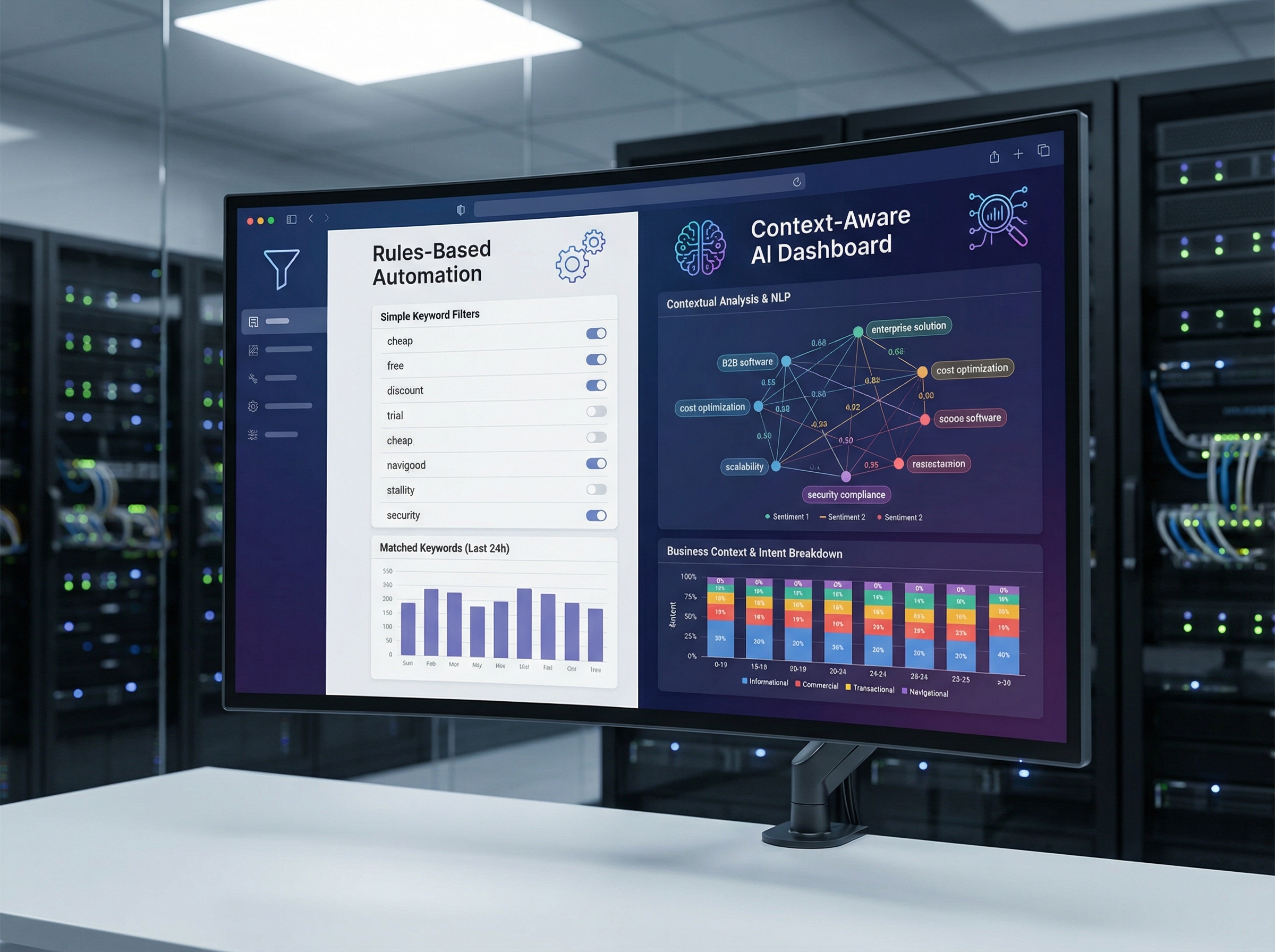
Context-aware automation uses natural language processing and machine learning to understand search intent within your specific business context. Instead of applying universal rules, these systems analyze each search term against your active keywords, business profile, and historical performance data.
Using the same example, a context-aware system would evaluate "affordable luxury watches" by examining your existing keywords, product positioning, and whether similar searches have converted in the past. It understands that "affordable" means something different for luxury goods than for budget products.
This is exactly how Negator approaches search term classification. The platform analyzes queries using context from your business profile and active keywords to determine relevance, rather than applying blanket rules that ignore your unique value proposition.
Ask any vendor: "Can you explain how your system would evaluate this search term for my specific business?" If they describe universal rules rather than contextual analysis, that is a red flag.
2. Does It Include Human Oversight or Operate on Full Autopilot?
The balance between automation and control is critical. Fully autonomous systems promise hands-off management, but automation myths often hide the risks of black-box decision-making without human verification.
The Dangers of Full Autopilot
Some platforms automatically add negative keywords without human review, promising to save time by eliminating manual work entirely. While this sounds appealing, it creates serious risks for your campaigns.
Without review workflows, you have no visibility into what traffic you are blocking. A single misclassified high-intent search term could cost you significant conversions. Even advanced AI systems make mistakes, especially when dealing with new products, seasonal trends, or industry-specific terminology.
Full autopilot systems also make it difficult to understand why specific decisions were made. When performance suddenly drops, you cannot easily identify whether the automation tool blocked valuable traffic or whether other factors are at play.
The Suggestion-and-Review Model
The most effective automation tools provide intelligent suggestions with human oversight. This approach combines the speed and scale of AI analysis with the strategic judgment that only experienced marketers can provide.
In this model, the automation tool analyzes search terms and flags likely candidates for exclusion, but you review and approve suggestions before they are applied to your campaigns. This workflow typically takes minutes rather than hours, giving you the efficiency benefits of automation while maintaining control over critical decisions.
Negator uses this approach, providing automated suggestions with full transparency about why each search term was flagged. You can review recommendations, override incorrect suggestions, and apply approved negatives in batch operations. This gives agencies the ability to achieve efficiency gains without sacrificing the strategic oversight that clients expect.
Ask vendors: "What happens between when your system identifies a negative keyword and when it gets applied to campaigns? Can I review and modify suggestions before implementation?"
3. Does It Have Safeguards Against Blocking Valuable Traffic?
Even the best automation systems can make mistakes, and the cost of accidentally blocking high-value traffic can be substantial. The question is whether the tool includes built-in protections against these errors.
Protected Keywords and Exclusion Lists
Advanced negative keyword tools include features that prevent the system from suggesting negatives that would block important traffic. These safeguards work as an insurance policy against automation errors.
For example, if you sell "refurbished laptops," you never want to block searches containing "refurbished," even though many businesses would exclude that term. A protected keywords feature lets you designate "refurbished" as untouchable, ensuring the automation system never suggests blocking searches containing that word.
Negator includes a protected keywords feature specifically designed for this purpose. You can designate critical terms related to your products, services, or unique value propositions as protected, and the AI will never suggest blocking traffic containing those terms. This is particularly valuable for businesses with unique positioning like discount retailers, premium brands, or companies serving specific niches.
Confidence Scoring and Thresholds
Another important safeguard is confidence scoring, where the automation tool indicates how certain it is about each recommendation. This allows you to set thresholds for automatic implementation versus manual review.
With confidence scoring, you might automatically approve suggestions with 95% confidence scores while manually reviewing anything below that threshold. This creates a tiered workflow that processes obvious waste automatically while flagging borderline cases for human judgment.
Ask vendors: "What safeguards do you have to prevent blocking valuable traffic? Can I designate specific terms or patterns as protected?"
4. Can It Scale Across Multiple Accounts and Client Profiles?
For agencies managing multiple client accounts, scalability is not optional. The ability to efficiently manage negative keywords across 20, 50, or 100+ accounts determines whether an automation tool saves time or creates additional complexity.
MCC Integration and Centralized Management
The first technical requirement for agency-scale automation is integration with Google Ads Manager Accounts, also called MCCs. This allows the tool to access and manage multiple client accounts from a single interface without requiring separate logins or manual account switching.
MCC integration enables you to review negative keyword suggestions across all client accounts in one consolidated view. Instead of logging into each account separately, you can process recommendations in batch operations, dramatically reducing the time required for account maintenance.
Negator is built specifically for agency workflows with full MCC support. You can connect all your client accounts, view negative keyword suggestions across your entire portfolio, and process approvals account-by-account or in bulk operations. This approach reduces what would take hours of manual work to minutes of focused review.
Client-Specific Business Context
Beyond technical integration, effective multi-account management requires the tool to understand that different clients have different business models, target audiences, and optimization goals. A search term that is irrelevant for one client might be valuable for another.
Look for tools that allow you to configure business profiles and settings at the account level. This ensures that the automation logic adapts to each client's unique context rather than applying one-size-fits-all rules across your entire portfolio.
For instance, a luxury hotel client and a budget travel client might both advertise on the same keywords, but they need opposite treatment for searches containing "affordable" or "discount." The automation tool needs to understand these different contexts and make appropriate recommendations for each account.
Ask vendors: "How does your tool handle multiple client accounts with different business models? Can I configure account-specific settings and review recommendations across my entire portfolio?"
5. How Will You Measure and Prove ROI?
Automation tools represent an investment, and you need clear visibility into the return you are getting. This goes beyond simple time savings to quantifiable impact on campaign performance and budget efficiency.
Prevented Waste Reporting
The most direct way to measure negative keyword automation ROI is through prevented waste reporting. This calculates how much you would have spent on irrelevant clicks if the negative keywords had not been in place.
Effective tools track the search volume for excluded terms, estimate the cost-per-click based on your account data, and calculate the cumulative savings. This gives you a concrete dollar amount showing the budget protection the automation provides.
Look for platforms that provide weekly or monthly reports showing prevented waste metrics. These reports become valuable assets for demonstrating ROI to stakeholders or justifying the tool's cost to clients.
Campaign Performance Impact
Beyond prevented waste, track how negative keyword optimization affects your core campaign metrics. Effective exclusion should improve click-through rates, conversion rates, and ROAS by focusing spend on higher-intent traffic.
According to the knowledge base data, agencies using Negator typically see ROAS improvements of 20-35% within the first month. This comes from the combination of prevented waste and improved traffic quality as campaigns focus on relevant searches.
The automation tool should make it easy to track these performance changes over time and correlate improvements with negative keyword implementations. This data helps you refine your exclusion strategy and demonstrates the tangible business impact of your optimization work.
Time Savings and Efficiency Gains
While harder to quantify than budget metrics, time savings represent significant value, especially for agencies where labor is your primary cost. Calculate the hours your team currently spends on search term review and negative keyword management, then estimate the reduction the automation tool provides.
Industry data shows that agencies save 10+ hours per week with effective negative keyword automation. For a team managing 30-50 client accounts, this could represent 20-40% of the time currently spent on account maintenance tasks.
Ask vendors: "What reporting do you provide to demonstrate ROI? Can I track prevented waste, campaign performance improvements, and time savings?"
6. What Does Implementation Look Like and What Integrations Are Required?
Even the most powerful automation tool creates friction if implementation is complex or integration requirements are burdensome. Understanding the setup process and ongoing technical requirements helps you assess the true cost and feasibility of adoption.
Initial Setup and Onboarding
The implementation process should be straightforward, especially for tools that integrate directly with Google Ads. Look for platforms that use official Google Ads API connections rather than requiring manual data exports or third-party middleware.
According to marketing automation best practices, the smoothest implementations involve OAuth authentication where you grant the tool permission to access your Google Ads accounts without sharing passwords or creating security vulnerabilities.
Negator uses direct Google Ads API integration with OAuth authentication. Setup takes minutes rather than hours, and once connected, the platform automatically syncs with your account data. There is no complex configuration, no manual data exports, and no ongoing maintenance of the integration itself.
Integration with Existing Workflows
Beyond technical integration, consider how the tool fits into your existing campaign management workflows. Does it require you to add new steps to your process, or does it enhance your current workflow?
The most effective tools integrate seamlessly into your existing routines. Instead of creating a separate "negative keyword workflow," they provide recommendations within the context of your normal account reviews, allowing you to handle negative keywords alongside other optimization tasks.
Also verify that the tool allows you to export recommendations in formats compatible with your upload processes. CSV export with proper formatting for Google Ads bulk uploads eliminates manual reformatting and makes implementation faster.
Ongoing Maintenance Requirements
Some automation tools require ongoing configuration updates, training data management, or manual synchronization. These hidden maintenance costs can significantly impact the time savings the tool promises.
Look for platforms that automatically stay synchronized with your campaign changes. When you add new keywords, launch new campaigns, or update your business profile, the automation logic should adapt automatically without requiring manual updates to the tool's configuration.
Ask vendors: "What does the setup process involve? What ongoing maintenance will my team need to perform? How does your tool export recommendations for upload to Google Ads?"
7. What Level of Support and Expertise Comes With the Platform?
Automation tools work best when backed by strong customer support and domain expertise. The quality of onboarding, documentation, and ongoing assistance can make the difference between a tool that enhances your capabilities and one that creates frustration.
Industry Expertise Behind the Platform
Tools built by PPC professionals who understand the daily challenges of campaign management tend to have better feature sets and more practical workflows than tools built by developers without advertising experience.
Look for indicators that the team behind the tool has real-world agency or in-house PPC experience. This shows up in thoughtful feature design, realistic default settings, and documentation that addresses actual workflow challenges rather than just explaining technical features.
Negator was built by PPC professionals specifically to solve the negative keyword management challenges they faced while scaling agency operations. This expertise informs everything from the contextual AI approach to the review workflows to the reporting features.
Onboarding and Training Resources
Even intuitive tools benefit from strong onboarding. Look for platforms that provide clear documentation, video tutorials, and personalized onboarding sessions to help your team get up to speed quickly.
Comprehensive onboarding reduces the time to value, helping your team understand not just how to use the tool but how to integrate it into your workflows and maximize its impact. This is especially important for agencies where multiple team members need to use the platform consistently.
Responsive Customer Support
When you encounter issues or have questions about specific recommendations, you need responsive support from people who understand PPC. Generic technical support cannot help you understand why a particular search term was flagged or how to adjust settings for a unique client situation.
Look for platforms that offer support channels appropriate to your needs, whether that is email support, chat, or dedicated account management for larger teams. Response time expectations should be clear, and the support team should have the expertise to help with both technical issues and strategic questions.
Ask vendors: "What is your team's background in PPC? What onboarding and training do you provide? What support channels are available and what are typical response times?"
Making Your Decision: Putting It All Together
Choosing a negative keyword automation tool requires balancing multiple factors, from technical capabilities to business fit to long-term value. The seven questions covered in this guide provide a framework for systematic evaluation.
Your Evaluation Checklist
As you evaluate different platforms, use this checklist to ensure you have covered all critical considerations:
- Context-aware analysis: Does the tool understand your business context or just apply universal rules?
- Human oversight: Can you review and approve suggestions before implementation?
- Traffic protection: Are there safeguards like protected keywords to prevent blocking valuable searches?
- Multi-account capability: Does it scale efficiently across your entire client portfolio?
- ROI visibility: Can you measure and demonstrate the value the tool provides?
- Easy implementation: Is setup straightforward and does it fit your existing workflows?
- Expert support: Is the platform backed by PPC expertise and responsive customer service?

Trial Period and Validation
Before committing fully, most platforms offer trial periods or pilot programs. Use this time to validate that the tool delivers on its promises in your specific environment.
During your trial, test the tool with a subset of accounts representing different client types and business models. Pay attention to the quality of recommendations, the time required for review workflows, and the actual impact on campaign performance.
Also involve your team in the evaluation. The people who will use the tool daily should have input on whether the interface is intuitive, the workflows make sense, and the tool genuinely makes their jobs easier rather than just adding another platform to manage.
Long-Term Partnership Considerations
Think beyond the initial purchase to the long-term relationship. Automation technology evolves rapidly, and you want a vendor committed to ongoing development and improvement.
Ask about the platform's roadmap and how they incorporate customer feedback into product development. Tools that actively evolve based on user needs will continue delivering value as the PPC landscape changes, while static tools may become obsolete as Google Ads introduces new campaign types and matching behaviors.
Consider that building client trust in AI-powered optimization takes time. The automation tool you choose becomes part of your service offering and your agency's reputation. Selecting a reliable, well-supported platform protects your client relationships and positions your agency as a technology-forward partner.
Take the Next Step Toward Smarter Automation
The negative keyword automation tool you choose will directly impact your campaign efficiency, budget utilization, and ability to scale operations. By asking these seven critical questions, you can cut through marketing hype and identify platforms that deliver real value.
The most important distinction is between context-aware AI systems that understand your business and simple rules-based automation that applies universal filters. This fundamental difference determines whether automation protects your campaigns or creates new problems.
Negator is built specifically to address these evaluation criteria. The platform combines context-aware AI with human oversight, includes protected keyword safeguards, scales efficiently across agency portfolios, and provides clear ROI reporting. Built by PPC professionals who understand the daily challenges of campaign management, Negator gives you smarter automation without sacrificing the control that effective optimization requires.
See how Negator handles context-aware negative keyword automation for your campaigns. The platform's intelligent suggestions and review workflows help you maintain clean, efficient campaigns at scale while protecting the high-intent traffic that drives conversions.
The right automation tool does not just save time. It improves performance, protects budgets, and gives you the scalability needed to grow your agency or in-house team. Ask the right questions, evaluate systematically, and choose a platform that aligns with your standards for quality and control.
The 7 Questions to Ask Before Choosing a Negative Keyword Automation Tool
Discover more about high-performance web design. Follow us on Twitter and Instagram

.webp)




Fresh trends & insights

[ Follow us ]
[ Join our newsletter ]

